
Criminal Simulator Hideout Guide: Sell Loot & Upgrade
Learn how to use the Criminal Simulator hideout to sell stolen loot, buy tools, and upgrade your character while protecting your limited robbery time.
Jump to
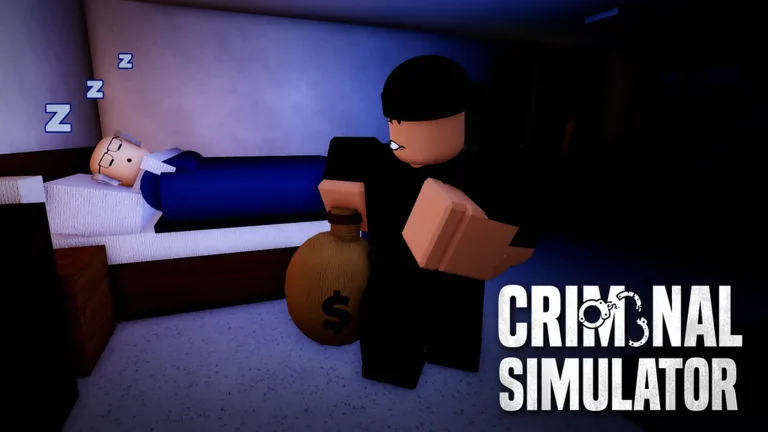
What Is the Hideout in Criminal Simulator?
Your next robbery starts with what you do back at base. The Criminal Simulator hideout is your starting hub in Roblox, where you store stolen goods, sell loot, and buy equipment. With only three nights to meet your quota, returning with valuables gives you money to improve your next trip.
The base brings together three essential activities:
- Unloading: Bring stolen items back from your truck.
- Selling: Place goods in the selling area and collect your payout.
- Shopping: Use the computer to purchase tools, weapons, supplies, and character upgrades.
You also start the night from the hideout. Begin with classic normal mode and play solo while learning how to move between houses, your vehicle, and the base.
Official page: Criminal Simulator (roblox.com)
How to Sell Stolen Items
Carrying something home is only part of the process. You need to move your haul into the selling area and activate Sell to receive money.

- Collect valuables while exploring houses or outdoor areas.
- Load stolen goods into your truck.
- Drive back to the hideout.
- Carry the items from the vehicle into the selling area.
- Press Sell to collect the payout.
The selling payout is only a portion of an item's value. Keep that in mind when deciding whether another risky trip is worth taking to reach your quota.
Prioritize valuable finds such as diamond rings, gold watches, tablets, game consoles, drones, and gift cards. Items left on benches can also give you something to bring home without entering a house.
Return and sell after a productive trip instead of immediately pushing into a guarded mansion. Getting caught can cost you stolen goods and skip a day, so carrying more loot also gives you more to lose.
What to Buy at the Hideout Computer
The computer is where robbery earnings become new equipment. Its shop includes tools, weapons, supplies, and upgrades, with additional options becoming available as you level up.
Choose purchases around the obstacle you need to overcome:
| Purchase | What it does |
|---|---|
| Lockpick | Opens locked doors, giving you access to additional rooms. |
| Glass cutter | Lets you cut through house windows and enter with less noise. |
| AC gas | Puts people inside a house to sleep. |
| Card machine | Extracts money from stolen credit cards; you can carry it or leave it at base. |
| Running shoes | Improve movement speed. |
| Lifter | Makes carrying stolen items easier. |
Buy a lockpick when locked doors are blocking your route, or a glass cutter when you need a quieter window entry. Both expand your options for reaching valuables.
Consider Running shoes if moving around or escaping danger is your immediate problem. Choose Lifter when carrying stolen goods is slowing your routine.
Weapons are available too, including a baseball bat. Avoid treating that purchase as permission to challenge every guard: armed security can take you down quickly, even when you have a weapon.
When to Return to Base
Head home when you have a worthwhile haul or a robbery starts drawing attention. Residents react to noise and sightings, and police do not necessarily arrive the moment you are detected. Leave promptly instead of using that delay to search another room.
Crouch while moving through occupied houses, and retreat when a resident spots you. You can return to a location later rather than risk the goods already in your truck.
Do not use getting caught as a shortcut home. Capture skips a day, and your run only gives you three nights of stealing. Losing that opportunity can hurt more than leaving a few valuables behind.
Check your required quota before spending your proceeds. Use equipment purchases to address specific problems on your next outing, and leave guarded properties until you have stronger tools and a clearer escape plan.
Continue exploring

Criminal Simulator Best Way to Make Money: Fast Cash
Find the Criminal Simulator best way to make money with valuable loot, quieter tools, smart upgrades, and safer runs that help you reach your cash quota.

Criminal Simulator Daily Rewards: Lobby Cash Guide
Criminal Simulator daily rewards give you extra cash before a job. Learn where to find them and how to spend your money on tools, upgrades, and supplies.
Join the community
Official channels for news, updates and player help: